
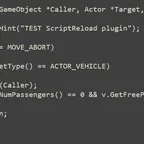
Save a script, press F6, and the change is live in the running game no quitting, no reloading the mod, no restarting freeplay. Works on command scripts and on freeplay and mission scripts, on both the retail and the Steam version, and installs by dropping two files into your Data folder.
Save the file and press F6. Units already on the map run the new code immediately, and units you call in afterwards get it too. Set mode=auto and it happens on its own, about a second after your editor writes the file.
Drop ScriptReload.vplugin and ScriptReload.ini into <game>\Data. Nothing is patched on disk, no game file is replaced, and uninstalling is deleting the two files. Steam users set dir=Mods\Your Mod\Scripts in the ini, because the Steam launcher does not pass the mod name.
Note: CINT holds 2000 loaded files per session, so you get roughly 1700 reloads before the game needs a restart. The plugin counts them and warns you in time.
-
Version 1.0.0
-
Bernt112 -
1. August 2026 um 22:47 -
64,46 kB -
96 Downloads
-